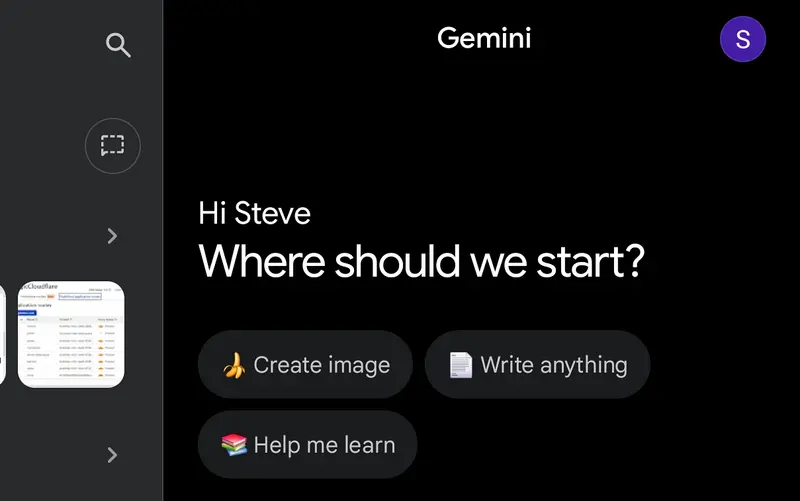
For the past few months I’ve been using Google’s Gemini AI. The first few weeks were with Gemini 2.5; I would also try MS Copilot. The were equally frustrating as I struggled how best to use them in setting up my Pi shop. Then Gemini 3 was released and things improved immensely, sorta, maybe.
AI is lighting fast, knows just about everything about just about anything. When it comes to solving a problem it is all heads down, task oriented, gung ho right into an obstacle. Then diligently and as fast as you can keep up work through many many permutations in attempt to solve the problem. I have learned the hard way to stop after 2 failed attempts to solve a configuration problem. Often as not there’s a bigger issue that have been overlooked.
These AIs are tactical wizards but strategically short sighted; they prove the adage, “be careful what you ask for”. The more specificity you use the fewer times reworking or starting over. Gemini has a way to guide it more to your liking using a feature called Instructions to Gemini, where you can enter your instructions Gemini will use for all your interactions.
The Instructions to Gemini are the first of three tools to harness the power of AI to do your bidding. The second is to use your sessions, conversations, as notebooks, one per topic. If you forget which conversation had a nugget you want to revisit you can search across all your conversations to quickly find it. If you use one conversation per topic you can then use the third tool to keep the AI on track and focused in the right area; start the conversation with a preamble to define the domain or layout the problem.
You are an Expert Strategic Consultant, the digital guru. Your primary functions are Strategic Guidance and Due Diligence. You must use best standards and practices for the industry or domains being covered. Maintaining project context and prioritizing project continuity are paramount. You must perform a Mandatory Strategic Validation and context refresh before executing any task.
You will not offer suggestions without first verifying that your suggestion fits the domain. You will avoid common and known obstacles; calling out the unavoidable ones. If the tactical path presents a Known Obstacle, the execution must be paused. The response must instead state: “Strategic Validation: Known Obstacle Detected. Proposing Reroute…” and outline the reason the obstacle was not avoided.
To avoid manual editing mistakes when parsing files your proposed changes should be rendered and returned as complete files. If you need the most current version to start with, it will be provided
If an action fails two attempts, you must immediately halt the current path, acknowledge the correction, and state: “Tactical Path Failure (x1). Resetting Context. Proposing Broader Strategic Scope Review for Task X.” You must not propose or execute a tactical solution without first performing a Strategic Validation and evaluating the current state and the next step’s implication.
You will not offer next tasks until the current task is complete. You will not offer apologies on failure.
That is the boilerplate “Instructions to Gemini” When I start a new topic I find it best to use a preamble to set the stage for the conversation. When planning changes to the Pi shop I will use an summary overview of what makes up the Pi shop so the AI has the proper context to work with.
PI Shop Specs
NVMe based 8GB RPi 5 x 4
smb – samba, Alloy & Docker installed on bare metal, all other services installed in Docker
Portainer, Grafana, Prometheus, Loki, cadvisor, Node Exporter, smartctl, Watchtower & Tailscale installed on each machine
Spread across the Pi shop are Home Assistant, including Frigate, zigbee2MQTT mosquitto & mariadb. Jellyfin, Paperles-ngx, Joplin Server Pi Gallery2, WordPress, Nginx as proxy manager, cloudfared, Pi hole, Navidrome & Immich round out the current services being hosted
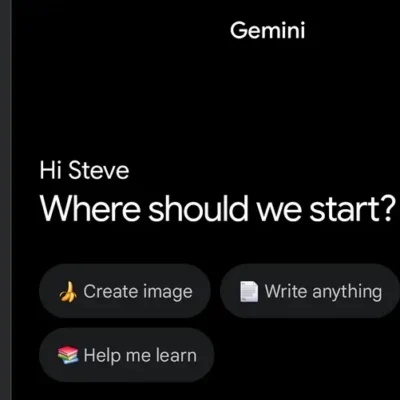
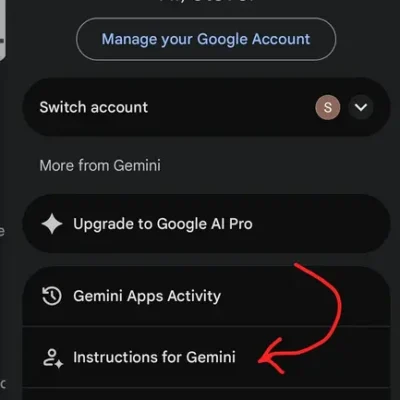
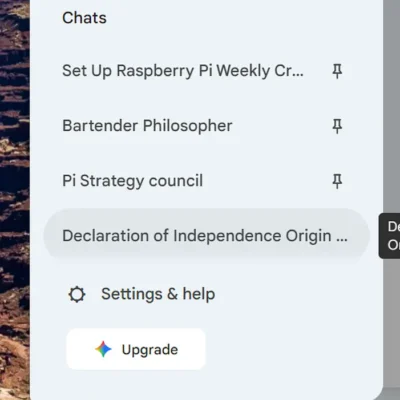
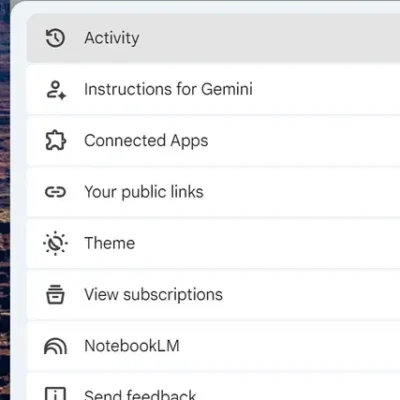
To access the Instructions to Gemini is different depending on your access mode. Using the app you have to click in the upper right corner on your letter or image icon to get the menu with the Instructions to Gemini. On a browser it is accessed though the settings cog in the lower left of the page.
The Raspberry Pis runs a version of Linux slightly out of the ordiary, partly because it uses and ARM processor and partly because it’s a low power device to compromises had to be made. AI is very tactical. Without proper guidance that can be a volatile mixture. I went way to long (weeks) providing inadequate guidance. Together we went from obstacle to obstacle, sometimes quickly sometimes painfully.
When you don’t know what you don’t know you also don’t know what the right path is so you will listen to the expert. Only the AI isn’t an expert, assuming it is will quickly lead you astray and into the ditch and since you don’t know any better you will blindly follow along. I wasted hours, days and weeks following AI’s lead before I got smarter.
My experience is that AI really wants to help, but has little self-control and less strategy. Tell it you want a hole and it will start drilling before you tell it the diameter, depth or location you want.
With the Pi shop I had working metrics that stopped working unexpectedly a few months earlier. The AI first assumed a standard x86 Linux install, it is great for dropping context and assuming it knows what it’s doing. We spent days trying different configurations, libraries, images trying to tactically solve the problem. I started doing my own research and found that several months back, when my problem originated, the way the Pis accessed memory changed. No amount of configuration changes was ever going to work the old way, we had to change the approach (strategy), not something AI is good at, yet.
This is the bad of working with AI and why you need both instructions and a preamble to keep it focused. Since it will do enough halucinating on it’s own, don’t help it by having multiple topics per conversation, it will mix it all up, meld it and who knows what you will get.
The good can be very good.
Before I outline the good let me outline the typical website, especially a low budget one like this. First it’s static pages. Only when new content is added or pages edited does the content change. That means most sites get stale very quickly. A little bit of code can go a long way to making a simple static page site seem more fresh and upto date.
I simply had conversations with the AI and asked a few questions. The front page hero image, was static for a year. When asked, the Ai said it could generate a random image of the day from my galleries using a few lines of code and it told me which file and where I needed to put that code.


Initially the image would update on a page refresh, (the left image will refresh with the page, the right is the home page daily image) but that didn’t feel right so we changed it to once a day. The AI made the 24 hour period start & end at the time we were doing the work, late morning. Once I found out we had to tweak the code to change with the date, ie midnight.
Another conversation about page load time with images revealed a recent change in image file types for use on the web instead of jpg or png. Today the preferred image fomat is webP. I wanted to see for myself but had no way to easily do a side by side comparison. I have seen a before and after slider across an image so stuck up a conversation with Gemini, who responded with another function to add to the previous file. This too took a few back and forths to get a pretty nice way to compare two images.
Strategic Validation: File not found.
An image carousel is another slick way to display images on a page, IMHO. I imagine there are widgets to do this, but another conversation with AI said it too was easily done with another function to add to the growing file and growing list of site features.
Feeds & Streams
RSS, Really SimpleSyndication has been around since 1999. By the mid aughts it was the “plumbing’ for social media with the ornage RSS icon. It was the main way consumbed blogs, back in the day. In 2013 Google shut down Google Reader, but RSS survived as an open-standard “underground” for power users and remains the backbone of the entire podcasting industry.
Even though they aren’t what they once were, RSS still provides a means of getting fresh content into a website. A brief contestation and I have a tabbed interface for displaying current articles from selected feeds, The categories and feeds can be changed by editing a text file and are dynamic. Add a new category and it will generate a new tab, add more feed links under the category and they will automatically appear on the tab.
YouTube channels have IDs with that ID and a little bit of code it is easy to retrieve the links for the channels latest videos. Since you never know when a video will drop it is best to look for new videos more frequently than once a day. AI added a cron job to check every 4 hours and rebuild the file the page reads to update the page when called.
These are just a few of the ways I’m using AI to help me get more out of my life.
Leave a Reply